Why You Can’t Download Some TikTok Videos: The Under-16 Rule.
You find a TikTok video that looks completely public. You can watch it, see its likes and comments and share its link. But when you try to download it, the Save video option is missing. You try another browser and even a different TikTok downloader but nothing works.
So, what is going wrong?
One possible reason is TikTok’s age restriction. TikTok does not allow people to download videos posted by creators aged 13 to 15. This rule applies even if their account is public.
In this guide, you will learn why this happens, how to tell an age restriction from normal download settings and what you can do when a TikTok video cannot be downloaded.
TikTok’s rule, as described in its Newsroom and Support pages is straightforward: downloads are allowed only for videos by users aged 16 and over. For users aged 13 to 15, the Video downloads control is off and cannot be changed, even on a public account. Users aged 16 to 17 have downloads defaulting to off, which is a different situation, as this guide explains. The crucial distinction is this: the under-16 download ban is a platform age rule, not a creator setting. No creator choice, no viewer setting and no downloader can override it. This guide explains the rule clearly, how to tell it apart from a creator-disabled download and what you can — and cannot — do about it.
The Under-16 Rule
TikTok has different privacy settings for younger users. One of these settings controls whether other people can download their videos.
For creators aged 13 to 15, video downloads are always turned off. They cannot enable this option, even if their account is public.
Things are different for creators aged 16 to 17. If they have a public account, they can turn downloads on or off. However, downloads are unavailable when their account is private.
This means a missing download button does not always mean the creator has blocked downloads. Their age and account privacy settings can also affect this option.
This distinction is the whole point of the guide and it is worth stating again in the simplest terms: if a video is by a creator aged 13 to 15, downloads are off because TikTok’s youth safety rule says so. If a video is by an older creator and downloads are off, that is usually because the creator chose that setting or left a default in place. The two situations look identical on screen — no download option — but their causes and their remedies are completely different.
Why TikTok Has This Rule
TikTok uses age-based settings to give younger users more control over their privacy.
When someone downloads a video, a copy is saved on their device. They may be able to share that copy on other apps or websites. The original creator may not know where the video goes after that.
This is one reason TikTok limits video downloads for younger creators.
A public TikTok account does not mean every video can be downloaded. People may be able to watch and share a public video link without having permission to save the video to their devices.
That is why you may see a public video but still not find a download option.
How to Tell the Under-16 Rule Apart from a Creator Setting
A missing download button can have more than one reason. It may be caused by the creator’s age, account privacy or download settings.
Here are a few things to understand:
- Creator aged 13–15: Downloads are turned off and cannot be enabled.
- Creator aged 16–17 with a public account: Downloads can be enabled or disabled by the creator.
- Private account: Downloads are unavailable until the account meets TikTok’s public-account requirements.
- Adult creator with a public account: The creator can control whether other people can download their videos.
Can you check the creator’s age from the video page? Usually, no. TikTok does not show a label explaining why downloads are unavailable.
So, if you cannot confirm the creator’s age or account settings, do not assume the video is blocked because of the under-16 rule.
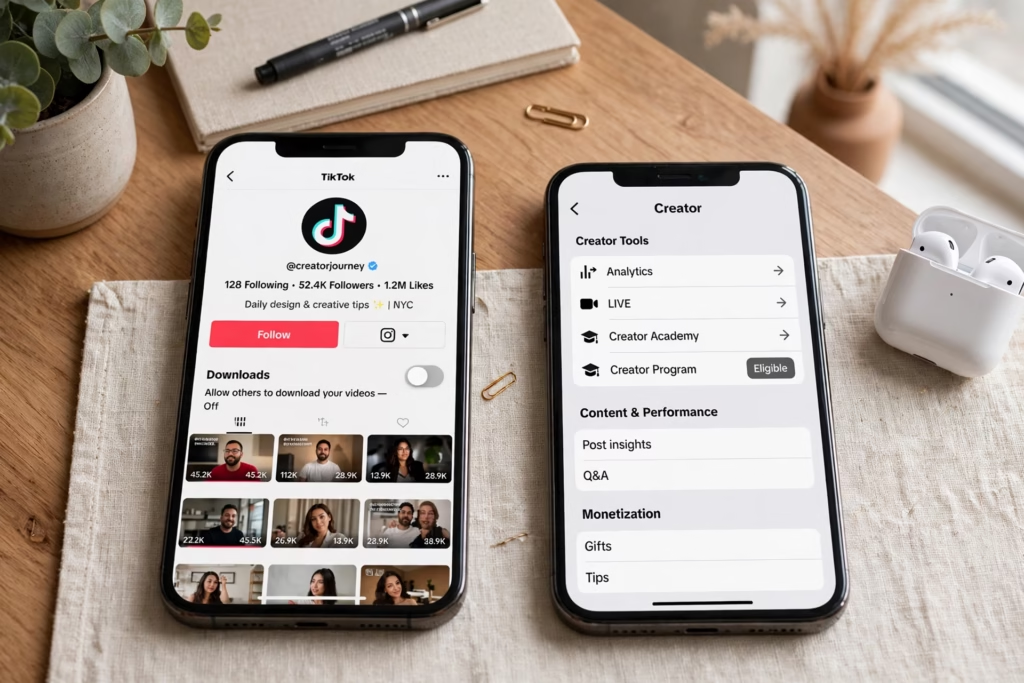
What Does Not Work — and Why You Should Stop Trying It
When a TikTok video cannot be downloaded, most people start trying different fixes. But if the problem is TikTok’s age restriction, these steps will not help.
Here are some things you should not waste time trying:
- Changing your own TikTok settings: Your settings cannot change the download permissions of another creator’s video.
- Logging out and logging back in: This does not remove restrictions on someone else’s video.
- Switching browsers or devices: A phone, computer or browser change will not remove an age-based restriction.
- Trying several downloaders: If the video is not available for downloading, another downloader may fail too.
Be careful with websites that promise to download every restricted TikTok video. Avoid tools that ask you to install unknown apps, share your TikTok password or provide personal information.
You do not need to keep trying the same thing again and again. First, check whether the video has a normal download option inside TikTok.
Similarly, do not look for workarounds that involve misrepresenting age, using someone else’s account or pressuring a young creator to change something they cannot change. Those routes do not solve the problem legitimately and they create new problems of their own. The under-16 rule is not a puzzle to be solved around the edges; it is a boundary to be respected.
What You Can Do Instead
If TikTok does not allow you to download a video, you still have a few options.
1. Add the video to your Favorites
Open the video, tap the bookmark icon and save it to your Favorites. You can find it again from your TikTok profile as long as the video remains available.
2. Share the TikTok link
Tap the Share button and copy the video link. You can send it to a friend through WhatsApp, Messenger or another app.
3. Ask the creator for permission
If you need the video for a project or another purpose, you can ask the creator whether they can share a copy with you.
These options let you keep access to the video without trying to bypass TikTok’s download restrictions.
If you are a creator yourself and you are wondering why your own videos cannot be downloaded, the answer depends on your age band. If you are 13 to 15, downloads are off by TikTok’s rule and cannot be changed, even on a public account. That is not a mistake in your settings, and there is no setting you have missed. If you are 16 or 17, downloads default to off, but you can review your own Video downloads setting in your account’s privacy settings and decide what is right for you.
For Older Creators: Downloads Off by Choice Is Different
Not every TikTok video without a download button is affected by the under-16 rule.
For example, an adult creator with a public account can turn video downloads off from their privacy settings. In this case, the missing download option is caused by the creator’s choice.
Creators aged 16 to 17 with public accounts can also control this setting. However, private accounts have additional download restrictions.
As a viewer, you cannot change another person’s download settings. If the creator has disabled downloads, you can watch the video, save it to your Favorites, or share its link instead.
Downloading Videos That Are Not Affected by the Rule
The under-16 restriction does not apply to every TikTok video. If a creator is aged 16 or older, has a public account and allows downloads, you can use a normal TikTok downloader.
Follow these steps:
- Open the TikTok video you want to save.
- Tap the Share button.
- Select Copy link.
- Open a trusted TikTok downloader.
- Paste the copied link into the download box.
- Select the available download option.
If the download fails, first check whether the video still opens in TikTok and whether its download option is available.
If TikTok does not allow the download, do not keep trying different tools. The video may have a privacy or download restriction.
You can read our guide on how to download TikTok videos for the complete process.

Why is there no download option on a public TikTok video?
A public TikTok video is not always available for download. The creator may be under 16, have a private account or have turned off video downloads. You can watch a video without having permission to save it.
Can I ask the creator to turn on downloads?
You can ask, but it depends on the creator’s account. Creators aged 13 to 15 cannot enable downloads. Creators aged 16 or older with public accounts can manage this setting.
Will another TikTok downloader download an under-16 video?
You should not expect it to work. TikTok does not allow downloads of videos from creators aged 13 to 15. Avoid websites that promise to bypass this restriction.
Does changing my TikTok settings help?
No. Changing your own settings will not change the download permissions of someone else’s video. The restriction is connected to the creator’s account and TikTok’s rules.
What can I do if I cannot download a TikTok video?
You can add the video to your Favorites, share its TikTok link or ask the creator for a copy if you need it.
Can creators aged 16 or 17 allow video downloads?
Yes. If they have a public account, they can turn video downloads on or off. Private accounts have additional restrictions.
What to Do When TikTok Blocks Downloads?
If you cannot download a TikTok video, the problem is not always your phone, browser or downloader. TikTok has age and privacy rules that control which videos other people can save.
Creators aged 13 to 15 cannot enable video downloads, even if their accounts are public. Other creators may have downloads disabled through their account settings.
Before trying another downloader, check whether TikTok allows the video to be downloaded. If it does, you can use a standard downloader such as Clipzun to save the video without installing software or creating an account.
If downloads are not available, add the video to your Favorites or share its link instead.
Quick checklist:
- Check whether the video opens in TikTok.
- Look for the Save video option.
- Remember that public videos are not always downloadable.
- Avoid websites promising to bypass age restrictions.
- Use a downloader only when the video is available for downloading.
Understanding these rules can save you time and help you avoid unsafe download websites.