How to Download TikTok Videos?
How to Download TikTok Videos?
TikTok is full of interesting videos, from funny clips and travel moments to useful tutorials and creative ideas. Sometimes, you come across a video you want to save on your phone or computer so you can watch it later, even when you’re offline.
When you will go to download that video , you will face a problem that TikTok’s built-in download option may add a watermark to saved videos, and some creators don’t allow downloads at all. So, there are also other ways to save publicly TikTok videos without a watermark.
Now, you’ll learn how to download TikTok videos without a watermark.
Why Download TikTok Videos Without a Watermark?
A watermark can be useful for identifying the original creator, but it may not look ideal when you’re saving a video for personal reference or offline viewing.
Here are a few common reasons people prefer watermark-free downloads:
- Cleaner viewing experience: To watch videos without a moving watermark covering part of the content.
- Offline access: Keep useful videos available when you don’t have an internet connection.
- Save creative inspiration: Collect editing ideas,tutorials and other helpful clips for later reference.
You should must keep it in your mind that downloading a video doesn’t give you ownership of it. Always respect the creator’s rights and permission requirements.
Method 1: Use an Online TikTok Video Downloader
One of the easiest options is an online TikTok downloader. You don’t need to install additional software or create an account. The process usually takes just a few steps.
Step 1: Copy the TikTok Video Link
Open TikTok and find the public video you want to save. Tap the Share buttonof that video.

Now tap copy link from the shared menu.
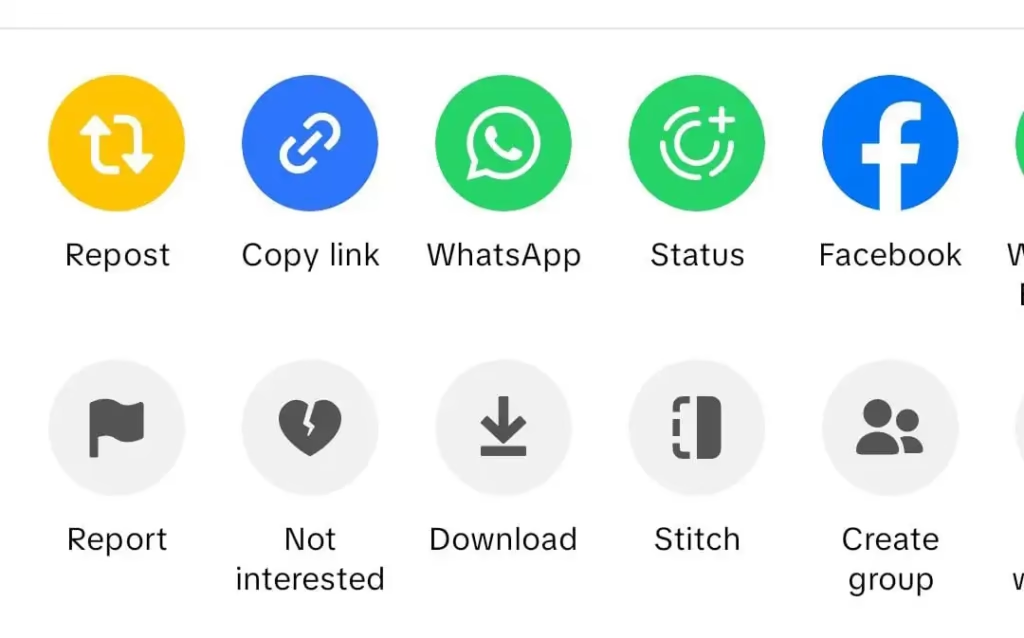
If you’re using TikTok in a browser, you can also copy the video’s URL from the address bar.
Step 2: Open a Downloader Website
Open a browser on your mobile phone, tablet, or computer and visit an online TikTok video downloader such as clipzun.
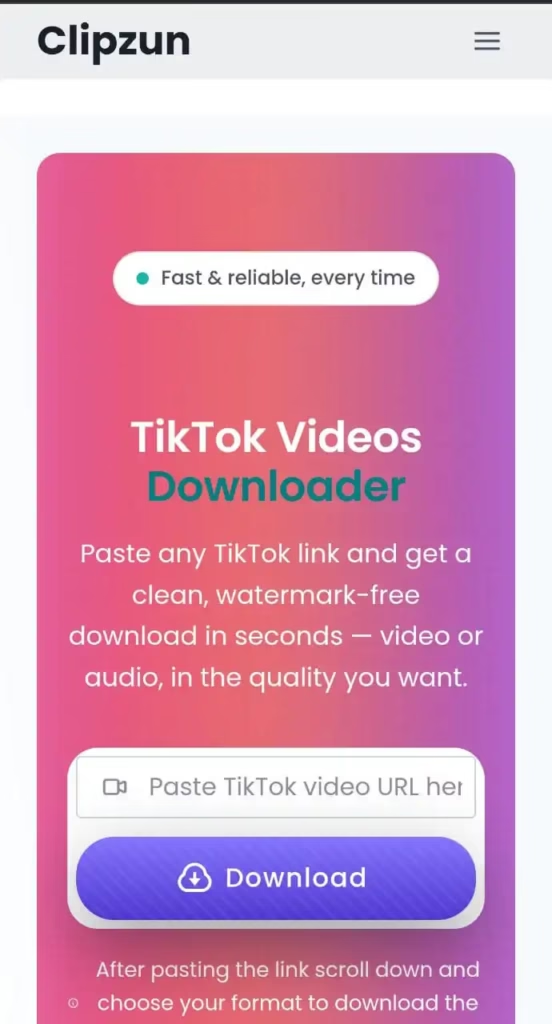
Clipzun doesn’t ask you to provide your TikTok password or install an unfamiliar application.
Step 3: Paste the Video URL
Find the input box on the downloader’s homepage and paste the TikTok link you copied.
Make sure the URL belongs to the correct video before continuing.
Step 4: Process and Download the Video
Click the download and wait for the available options to appear.
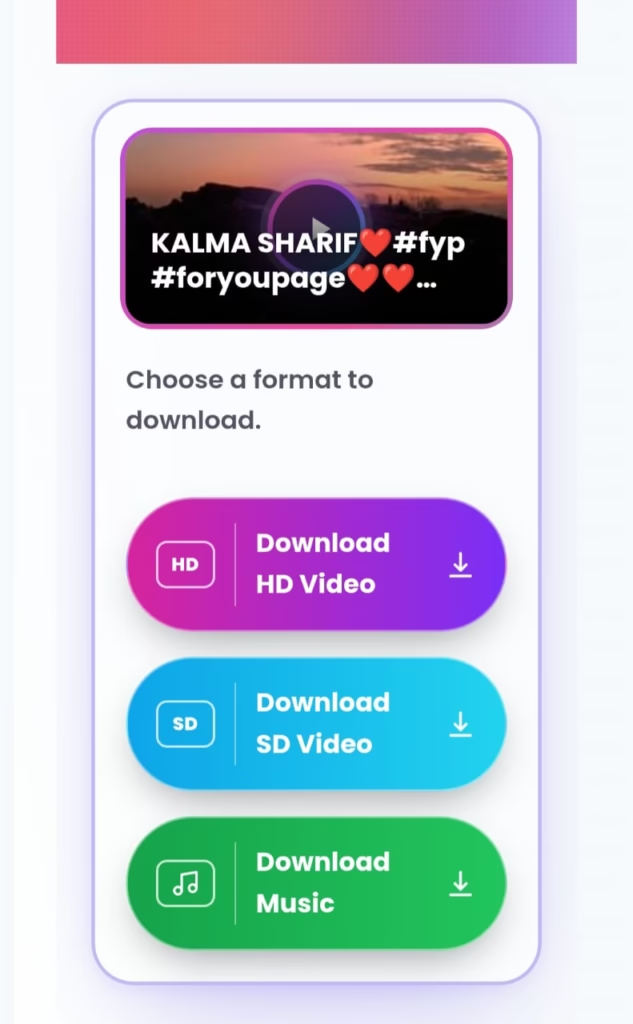
Now ,select the quality of the video you want to download . The video will be downloaded in few seconds.
On a phone, the file will usually appear in your Downloads folder or browser downloads list. On a computer, check the folder selected in your browser’s download settings.
Method 2: Download Directly Through TikTok
TikTok also provides a built-in download feature for videos where the creator has enabled downloads.
- Open the TikTok video.
- Tap Share.
- Select Save video, if the option is available.
- Wait for the video to finish saving.
This is a good option because you don’t need a separate website. However, the saved video may include a TikTok watermark, and the option may not be available for every video.
If you specifically need a watermark-free copy, an online downloader may offer an alternative for supported public links.
Can You Download TikTok Videos Without Installing an App?
Yes. Browser-based downloaders can process supported TikTok links without requiring you to install an app or browser extension.
This can be particularly useful if you:
- Have limited storage space on your phone.
- Want to save a video quickly without installing extra software.
- Switch between Android, iPhone, and desktop devices.
- Prefer not to create another account for a simple task.
For example, you can open Clipzun in your browser, paste a supported TikTok video link, and follow the available download options. Availability and results can depend on the video and the service.
Why Is My TikTok Video Not Downloading?
Sometimes, a download doesn’t work on the first attempt. The issue may be related to the video link, the original post or the downloader itself.
Try these troubleshooting steps:
1. Check the link: Copy the URL again from TikTok and make sure it isn’t incomplete.
2. Confirm the video is accessible: Private, deleted, restricted, or otherwise unavailable videos may not be supported.
3. Refresh the page: Reload the downloader website and paste the link again.
4. Try another browser: If the download fails in one browser, try Chrome or Safari.
5. Check your internet connection: A slow or unstable connection may interrupt processing or downloading.
6. Check your Downloads folder: The video may already have been saved even if you didn’t notice a confirmation message.
If the problem continues, the service may temporarily be unavailable or may not support that particular video.
Is It Safe to Use an Online TikTok Downloader?
Online downloaders can be convenient, but it’s worth being careful.
Follow these basic precautions:
- Never enter your TikTok password into a third-party downloader.
- Avoid downloading unknown applications or browser extensions.
- Don’t click suspicious ads or pop-ups disguised as download buttons.
- Check whether the website explains how it handles links and user data.
- Use a reputable browser and keep it updated.
Frequently Asked Questions
Can I download TikTok videos without a watermark in 2026?
Yes, some online downloaders provide watermark-free downloads for supported public TikTok videos. Results can vary depending on the video and the service.
Do I need to install an app?
No. Many browser-based tools work directly through a website on a phone or computer.
Can I download TikTok videos on an iPhone?
Yes. You can use a compatible online downloader through Safari and look for the saved file in the Files app.
Why can’t I download every TikTok video?
Some videos may be private, deleted, restricted, or inaccessible to third-party services. Certain links or formats may also be unsupported.
Can I use downloaded TikTok videos on my own social media accounts?
Only when you have the necessary permission or rights. Removing a watermark doesn’t remove copyright restrictions or make someone else’s content your own.