TikTok Video Downloader
Paste any TikTok link and get a clean, watermark-free download in seconds — video or audio, in the quality you want.
Choose a format to download.
What is Clipzun?
Clipzun is a free and user-friendly TikTok video Downloader that allows you to save videos directly to your device. Unlike TikTok’s built-in download option, which may add a watermark to downloaded videos, Clipzun provides a convenient way to download videos without a watermark. You can download videos in MP4 format in their original quality quickly and easily.
How to Download a TikTok Video?
You just need to follow these three steps to download your video from TikTok.
Copy the link
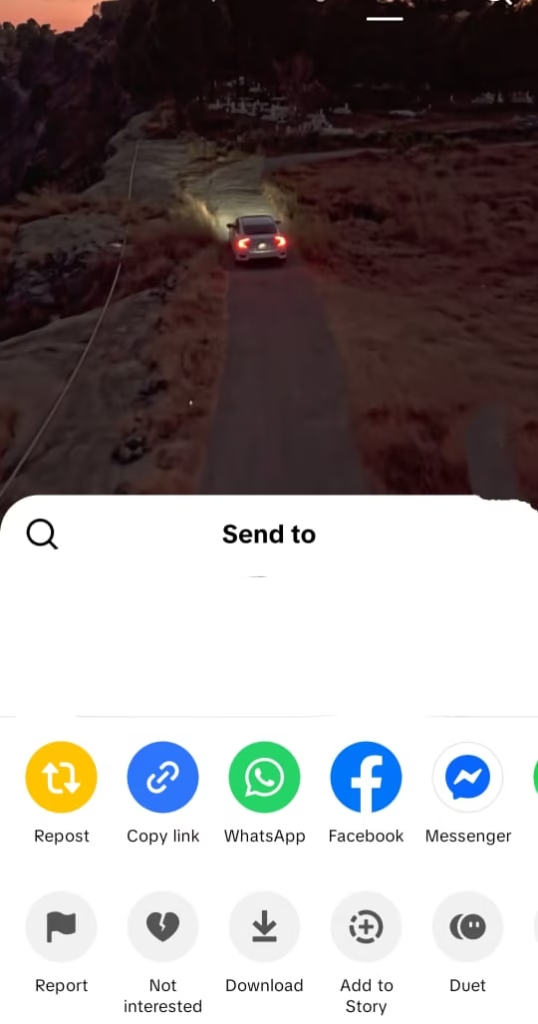
- Open the TikTok app and find the video you want to download.
- Click the share button on the right side.
- Select copy URL and the URL will be copied to your clipboard.
Paste your link
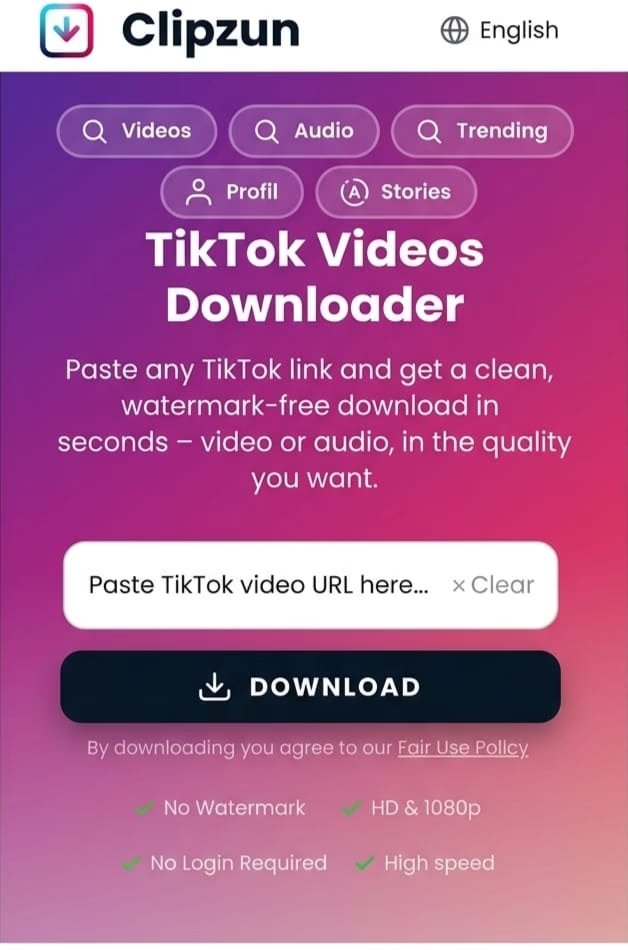
- Go to clipzun.com
- Paste your copied link to the input box.
- Click the download button.
Download the video
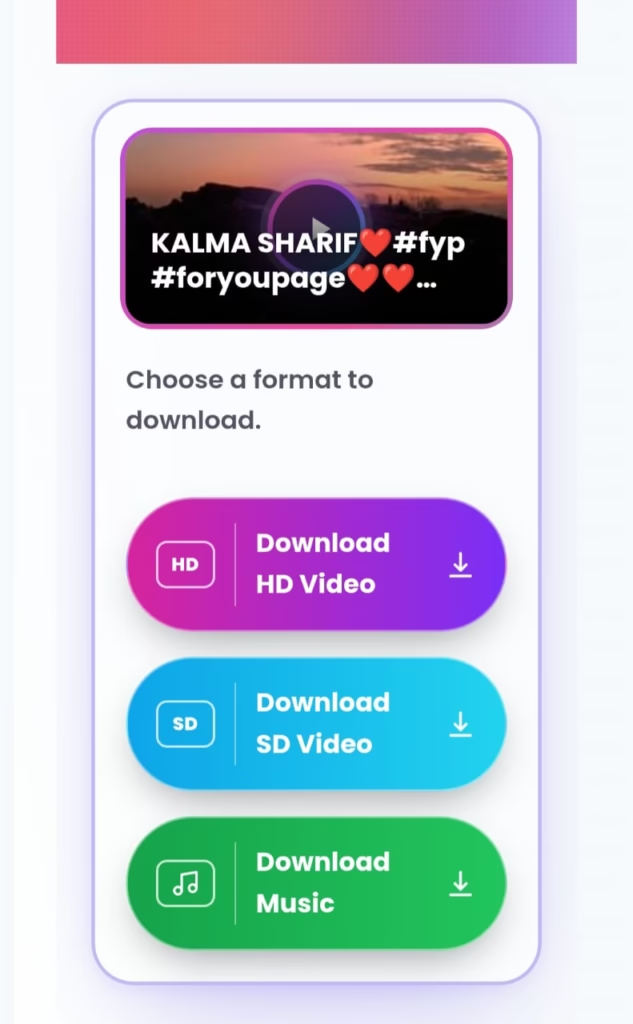
- When you hit download, a preview will appear on the screen.
- Press download HD video.
- The video will be downloaded to your device.
Everything You Need in One Tool
Fast Download
Clipzun’s servers are optimized to deliver fast and reliable downloads, so you can save your videos in just a few seconds.
High Quality
Download videos in their original quality without compression or loss of resolution.
Works on All Devices
Clipzun works perfectly on PCs, laptops, tablets, and smartphones. No installation required — use it directly in your browser.
Secure & Private
Your privacy matters. No login is required, and all downloads are processed securely.
No App Needed
Simply open Clipzun, paste your video link, and click download — no software or extension needed.
Easy to Use
Copy your video link, paste it into Clipzun, and click download. Your file will automatically be saved to your Downloads folder.
No Subscription Required
You can download videos without paying for a subscription or creating an account. Our goal is to provide a convenient and accessible TikTok downloader for everyone. You can download TikTok videos online for free. You can enjoy hassle-free downloads with no hidden charges.
Download TikTok Videos Without a Watermark
This tool is a free TikTok video Downloader that lets you save public videos directly to your phone in MP4 format without the “TikTok watermark”.
Unlike TikTok’s built-in save option, this TikTok downloader allows you to download videos without a creator name or branding attached. It is useful for saving your favorite clips or using videos for content creation. Since TikTok does not provide a direct option to download videos in a clean format, this tool makes the process simple and convenient, removes the TikTok watermark and gives you a clean version of the video ready to save and use.

Features of TikTok Video Downloader
This TikTok downloader lets you save TikTok videos without watermarks, in their original quality. Downloads are quick, so you will not have to wait for — and there’s no cap, so feel free to save as many videos as you want directly to your device. It all works right in your web browser, which means there’s nothing to install: no app, no software, no browser extension. Just paste the TikTok video link and you’ll have your download in seconds.
Watch Videos Later
With this TikTok Downloader, you can download videos and watch them later whenever it is convenient. Downloaded videos can be viewed offline without opening TikTok again. If you’re a content creator, you can also use downloaded videos as references for your own ideas, edits or social media content. Sometimes you may also want to keep a useful idea, save your own content or collect clips that you may need for a project.
Keep Useful Content Within Reach
TikTok is fast-moving. A video you saw today can be difficult to find a few days later, especially when you don’t remember the creator’s username or the words used in the caption.
Downloading a video you genuinely want to keep, gives you a simple backup for personal reference. You can sort your saved clips into folders based on what they are about and find them without searching through your TikTok history.
Use the Format You Actually Need
Not every download needs to be a full video. Sometimes you want the video , while other times the audio is the only part you’re interested in.
With the available download options, you can choose the format that makes sense for your purpose. MP4 is useful when you want the complete video, while an audio option is more practical when you only need the sound.
The best choice also depends on storage. A higher-quality video generally requires more space, so there is little reason to use a larger file when a smaller one already does what you need.
Why a Browser-Based Downloader Can Be More Convenient
Sometimes you just want to save a video without installing another app. A browser-based downloader makes that easy. Just open the website, paste the link and download it. There’s nothing to install and no extra setup to go through.
All you need is the video link, a web browser and an internet connection. Paste the link, choose your download option and save the video to your device.
What If a TikTok Video Doesn’t Download?
A downloader cannot access every TikTok video. If a video belongs to a private account, has been removed, or is unavailable, the link may not produce a downloadable file.
Before assuming there is a problem with the downloader, check the original TikTok link. Make sure the video still opens normally and that you copied the complete URL.
Public videos can also change over time. A link that worked previously may stop working if the original post is deleted or its availability changes.
Use Downloaded Content Responsibly
Downloading a video and owning the rights to that video are two different things.
If the content belongs to another creator, don’t present it as your own or use it commercially without permission. If you plan to repost or include someone else’s video in your own content, check whether you have the right to do so and credit the creator when appropriate.
Clipzun is designed to make the technical part of saving a video easier. What you do with the downloaded file is up to you, so always respect the creator’s rights and applicable copyright rules. Before using this tool, we encourage you to review our Terms of Service .
You can follow our guide on how to download TikTok videos. You can also explore our TikTok Tips and Guides for more useful information.
Frequently Asked Questions
Copy the link of a TikTok video you want to download, paste the link in the input field and click download. The video will be downloaded to your device.
No, you don’t need to install any app. This tool works completely in your browser.
No, our tool only works with public TikTok videos. Videos from private accounts cannot be accessed or downloaded due to privacy restrictions.
Yes, our tool is 100% free with no hidden charges. You don’t need to sign up or create an account to use it.
No, we provide clean, watermark-free videos in HD quality so you get the original content without the TikTok logo.
This usually means the video was deleted, made private, or the link was copied incorrectly. Open the original TikTok link again to confirm it still plays before retrying.
Downloading videos for personal use is fine. However, you should get the creator’s permission before reposting or using their content publicly, as the video remains the intellectual property of the creator.
Yes, it is safe to use as it does not require any account creation or sign up and works completely through your browser.