TikTok to MP3 Not Working? Common Problems and Fixes.
Sometimes you only need the audio from a TikTok video, whether it’s a voiceover, music clip or spoken tutorial. But after pasting the video link into a downloader, you might get an MP4 instead of an MP3, find that the audio option is missing or download a file that plays without sound. The right fix depends on which of these problems you’re facing.
If TikTok to MP3 conversion fails, start by checking the download format, the video link and whether the original video has audible sound. The problem may be a simple setting or a limitation of the downloader. This guide explains how to check each possibility, troubleshoot common errors and save the audio when it is available.
Why TikTok to MP3 Downloads Go Wrong?
A downloaded TikTok video may contain both video and audio. To create an MP3, a tool must extract or convert the audio track into an audio file. Some downloaders only provide video downloads, while others offer a separate audio option. If MP3 is unavailable, check whether the tool supports audio extraction before trying again.
Some tools only save the original video, untouched, no matter which button you press. Others receive an incomplete or expired link, so they return an error or fall back to the plain video file. And in a few cases, the source video itself is the problem — its sound has been muted, removed or restricted, so there is no usable audio left to extract. The good news is that these causes are easy to tell apart, and the fix usually takes less than a minute.
The Most Common Mistakes (and How to Fix Them)
1. Downloading the MP4 and Expecting Audio Only
This is the number one reason people think the conversion failed. Many downloaders show two or more options after you paste a link: a video option, often labelled MP4, with or without a watermark and an audio option labelled MP3. If you tap the first or biggest button out of habit, you will get the video file — even if you opened a page that supports audio.
An MP4 is not a failed MP3 — it is simply a different file that still contains the picture along with the sound. If you downloaded one by accident, just go back to the results page and choose the MP3 option instead. On Clipzun, paste the TikTok video link and look for the Audio Download option below the video download option. Select it to download the audio without needing a separate MP3 page.
2. Pasting a Bad, Incomplete, or Expired Link
The converter can only work with the exact video your link points to. A link may fail if it was copied incorrectly, points to a page the downloader does not support or leads to a video that is no longer available. Some tools may also have trouble processing certain TikTok links. Copy the link again from TikTok’s Share menu and check that the video still opens normally. Sometimes people paste a profile, sound page or photo post link and expect the tool to find a video that is not there.
Always copy the link directly from inside the TikTok app using the Share button as described below. Do not retype it or copy it from a screenshot.
3. Using a Tool That Does Not Actually Offer MP3
Some downloaders support video downloads but do not provide a separate MP3 option. Others display several download buttons or advertisements, which can make it difficult to identify the correct action. Before clicking, check that the option clearly says MP3 or audio. If a page never shows a clearly labelled MP3 format before the download starts, the tool probably does not really extract audio.
A genuine MP3 tool makes the format obvious: the page is dedicated to audio, the MP3 choice appears before you save and the finished download has an .mp3 extension. If your file ends in .mp4 or .mov, the tool saved the video, whatever its button said.
When Audio Genuinely Cannot Be Extracted
Sometimes the link and the tool are both correct, and the download still fails or comes out silent. Then the problem is the source video itself and no converter can fix it.
- The music was removed or muted for copyright. TikTok may mute or restrict sounds for reasons such as copyright or licensing issues. If the video plays without sound in TikTok, a downloader may not be able to retrieve an audible track. First, check whether the original video has sound before troubleshooting the MP3 download.
- The video is unavailable to the downloader. A private, deleted or otherwise restricted video may not be accessible to a third-party tool. If the downloader returns an error, open the original link in TikTok to check whether the video is still available and accessible to you.
- The original upload had no sound. Some TikToks are intentionally silent, or were recorded with a muted microphone. There is no hidden audio track to recover.
A quick test helps: play the video in TikTok itself. If it is silent, muted, or unavailable there, the MP3 will be exactly the same. If it plays with clear sound in the app, the problem is in the download process — and the steps below will fix it.
How to Extract Audio Properly on Clipzun: Step by Step
To check how the audio download works, I tested Clipzun with a public TikTok educational video. After pasting the video link, I could see an audio download option directly below the video download option. I selected the audio option, downloaded the file and played it to check the result. The sound was consistent with what I heard when playing the original video on TikTok.
To download an audio, you can follow these steps in order — a clean link is what makes the rest work.
- Open the video in TikTok and play a few seconds of it. Confirm the sound is actually there and audible.
- Tap the Share button (the arrow on the right side of the video), then tap Copy Link.
- Go to the Clipzun TikTok Downloader page in your browser.
- Paste the link into the input box exactly as copied — do not edit or shorten it.
- Start the conversion and choose MP3 when the download option appears.
- Save the file and wait for the download to finish completely before opening it — a half-downloaded file can look corrupted or silent.
- Play the MP3 in your music or files app to confirm the sound is complete, start to finish.
Need the video itself another time? The same method works — our guide on how to download TikTok videos covers the video options.
Where Your MP3 File Lands on Your Phone
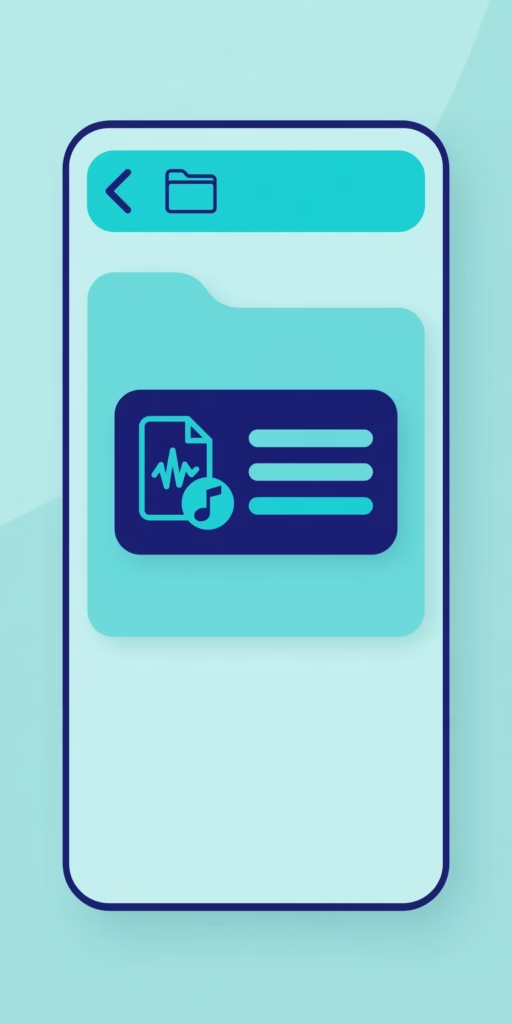
A common false alarm: the download worked, but the file saved somewhere you were not looking, so it felt like nothing happened. Where it ends up depends on your device.
On iPhone
Downloads from the browser go to the Files app, not the Music app. Open Files, tap Browse, and look in the Downloads folder, under iCloud Drive or On My iPhone depending on your settings. From there you can play the MP3, move it or share it into another app. It will not appear in Apple Music automatically, since that library only shows tracks synced or purchased through Apple.
On Android
The file normally lands in the Downloads folder, and most music players pick it up under a Music or Audio view once they scan the device. Open your Files or My Files app, check Downloads first and sort by most recent if needed. If your player does not show it, restarting the app usually triggers a fresh scan.
On a Computer
The MP3 goes to your browser’s default download location — the Downloads folder for most people. If you cannot find it, open the browser’s download list (Ctrl+J on Windows, Command+J on Mac) to reveal it.
Quick Troubleshooting Table
| Problem | Likely Cause | Fix |
|---|---|---|
| You received an MP4 instead of an MP3 | The video option was selected, or the tool does not offer real audio extraction | Use MP3 download option and confirm the MP3 format before saving |
| The MP3 button never appears | The link was not recognised, or the tool has no audio feature | Copy the link again from Share in the app, then retry to download MP3 |
| The MP3 is completely silent | The source video was muted or its music was removed for copyright | Play the video in TikTok; if it is silent there, no tool can recover the sound |
| An error appears or nothing downloads | The video is private, deleted or region-restricted, or the link expired | Check the video still opens in TikTok, copy a fresh link, and try again |
| The download finished but you cannot find the file | It saved to the default downloads location | Check Files/Downloads on iPhone or Downloads on Android, sorted by newest |
What Audio Quality Should You Expect?
An honest expectation saves disappointment: an extracted MP3 can only be as good as the audio uploaded to TikTok in the first place. The quality of an MP3 depends on the original audio and how the file is processed. A clear source recording will generally sound better than noisy or distorted audio. Converting audio to MP3 may also affect its quality, depending on the source format and conversion settings.
So a TikTok recorded with a good microphone and a clear original track will produce a clean MP3 that is fine for listening, ringtones, edits, and background use. A video recorded in a noisy room, re-uploaded several times or built from a low-quality sound will produce an MP3 with exactly those flaws — no converter can restore detail that was never in the source. If an extraction sounds poor, check how the original sounds in the app before blaming the tool. Compare the downloaded MP3 with the original video to check for missing audio or noticeable quality differences. The result depends on the source and the conversion process.
Why did I get an MP4 when I wanted an MP3?
Because the video format was selected instead of the audio format, or the tool you used only saves video. MP4 is the combined video-and-sound file. Go back, choose the option labelled MP3 before downloading or use a dedicated MP3 page where audio is the only output. A genuine audio download ends in .mp3.
Can I extract audio from any TikTok?
A public video with audible sound may still fail if the downloader does not support its link or cannot access the audio. Private, deleted or restricted videos may also be unavailable.
Why is my MP3 silent?
The source video may be muted or the downloader may have failed to extract the audio correctly. Play the original video in TikTok first. If it has sound, try copying a fresh link and downloading again. If the problem continues, the tool may not be processing that video correctly.
Will the MP3 quality be worse than the sound in the video?
It depends on the original audio and the conversion process. MP3 conversion can affect sound quality, so the downloaded file may not sound exactly like the original video.
Where does the downloaded MP3 go on my phone?
On iPhone, look in the Files app, in the Downloads folder. On Android, look in Downloads through your Files app, or in your music player’s library after it scans. On a computer, check the Downloads folder or your browser’s download history.
Try It Now — Extract Your MP3 for Free
If your TikTok MP3 download fails, check that the original video has sound, copy its link again, and confirm that the downloader supports audio extraction. If the video is unavailable or the tool cannot access its audio, another attempt may not help. You can try Clipzun’s TikTok audio page to see whether the link can be processed and download the available audio.